How WeTransform works: from raw data to structured output
Data imports don't fail because of file upload.
They fail because incoming data never matches what your system expects. Every client has their own column names. Every partner has their own structure. Every file needs adjustments.
WeTransform solves this at the source — by automatically adapting incoming data to your format, without manual work, and without asking your users to comply.
External data is never structured the same way twice
This is what we call format multiplication. It's not one broken file. It's dozens of slightly different versions of the same data — and each variation creates friction, delays, and operational cost.
Traditional tools — file upload solutions, ETL pipelines, custom scripts — handle the data but not the variation. They assume the incoming format is predictable. It never is.
A dedicated layer for data import
WeTransform introduces a dedicated layer between incoming data and your system. Not a file uploader. Not an ETL. A system designed specifically to understand, adapt, and transform external data automatically.
This approach is already processing thousands of files every month across multiple clients and data sources, handling format variation at scale without growing the operations team.
Five steps, one configuration
- 01
Receive data in any format
Your users and partners send data as they have it. CSV, Excel, JSON, API feeds, structured or semi-structured. You don't ask them to comply with a template. You don't require them to adapt to your system. WeTransform accepts the data as it comes.
- 02
AI understands the structure
When a file arrives, WeTransform analyzes it automatically. It detects fields and column structures, identifies naming patterns, and handles variations it has seen before. No manual parsing. No preprocessing step. The system reads what comes in, regardless of how it is labeled.
- 03
You define the mapping once
You or your customers define how incoming data should match your system's expected format. Which fields correspond to which. How values should be transformed. What the output structure should look like.
This step is typically handled by technical teams when done without WeTransform. With WeTransform, it can be done by business users, with AI assistance, and only needs to be defined once per client or partner.
- 04
Data is transformed automatically
Once the mapping is defined, WeTransform handles every file automatically. Incoming data is mapped, formats are normalized, inconsistencies are resolved. Everything comes out in your system's format, consistently.
A practical example: an incoming file might use customer_name where another uses client and a third uses full_name. WeTransform maps all three to your system's name field, without any manual intervention.
- 05
Apply on future files
For each new file from the same source, WeTransform reuses the mapping. Transformations are applied without any human step. As your client or partner count grows, you add configurations, not team members.
Embed it directly into your product
“This is where WeTransform goes further than most data transformation tools.”
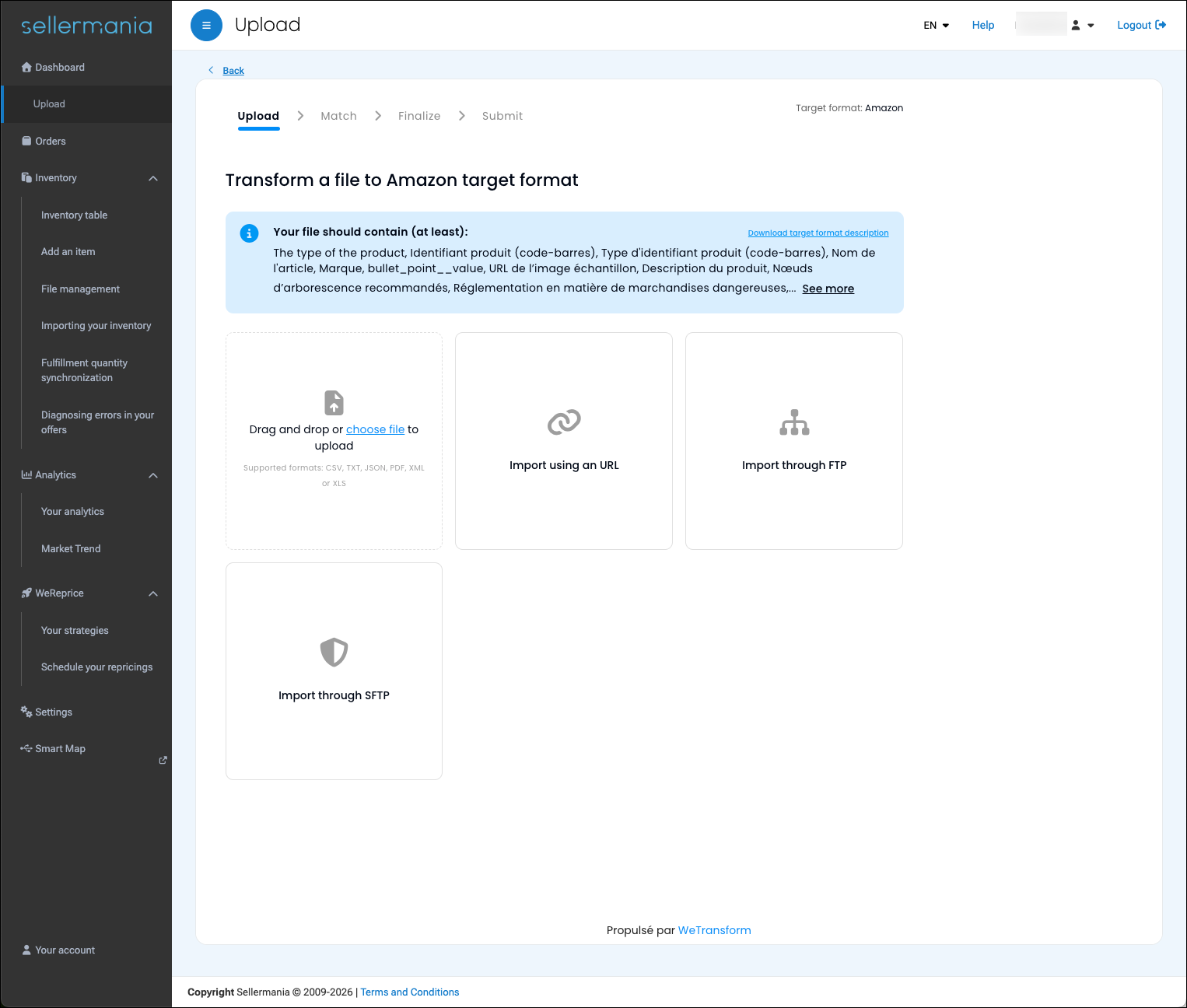
WeTransform can be embedded directly into your product. Your users upload their data inside your interface, see their data being mapped and validated in real time, and receive confirmation when the import is complete — all without leaving your product, and without knowing that WeTransform is running behind the scenes.
From your users' perspective, it's your product. From your team's perspective, it's a configurable import layer you don't have to build or maintain.
This matters for several reasons. It improves the user experience at a moment that is often friction-heavy — getting data in. It removes your dependency on technical teams every time a customer needs an adaptation. And it keeps your product interface clean and native, without redirecting users to an external tool.
WeTransform is white-label ready. You keep your brand, your interface, your product. WeTransform handles what happens to the data.
Built to grow with your client base
As your client or partner count grows, so does format variation. A new client means a new format. A partner update means a variation. At ten clients, this is manageable. At a hundred, it becomes a bottleneck.
WeTransform handles this by separating the configuration from the processing. Each client format is configured once. Every subsequent file from that client is processed automatically, including variations that appear over time. You grow your client base without growing your data operations team proportionally.
“Add clients, not manual work.”
What WeTransform replaces
Before WeTransform, teams handle format variation through a combination of manual data preparation, repeated mapping work, custom scripts maintained by developers, and fragile pipelines that break when a partner changes their export. Each of these approaches has a scaling problem: the more clients, the more formats, the more manual work.
WeTransform replaces this with automated mapping, reusable configurations, and a system that absorbs variation by design. The result is consistent data flows, faster client onboarding, and a team that spends its time on higher-value work.
Common questions
No. Mappings can be defined by business users with AI assistance, without coding. Technical teams can integrate via API if needed, but day-to-day configuration does not require developers.
CSV, Excel, JSON, XML, API feeds, and semi-structured data. If your partners send it, WeTransform can handle it.
WeTransform absorbs the variation automatically when it falls within known patterns. For new patterns, the mapping can be updated in the interface without a developer, and the new configuration is applied to all future files from that partner.
Yes. WeTransform is white-label ready and designed to integrate seamlessly into your product interface. Your users interact with your product, WeTransform runs behind the scenes.
Most teams are operational within days. The initial configuration for each client or partner format is done once, then reused automatically.
See it in action
Watch AI import management handle format multiplication in real time.