The catalog onboarding AI engine for marketplaces.
Your sellers and suppliers send their catalogs in their own format. WeTransform maps them to your categories and attributes, checks every field and delivers products ready for your marketplace, PIM or ERP. 20 years of marketplace data flows behind it.
Auto-mapped fields
Weeks → minutes
Time to integrate a new supplier's catalog
1 template
Your target format, defined once, reused for every seller and supplier
4.9 / 5
Rating on G2, verified reviews
Software company? WeTransform also runs inside SaaS products.
Let your customers import their own data into your product, with no custom importer to build.
Built for enterprises with large supplier networks.
WeTransform is made for marketplaces and for companies that receive product data from many suppliers: hundreds of third-party sellers, brands, merchants or partners, each with their own format, their own taxonomy and their own idea of what a mandatory attribute is. It is the entry point for all of that data, before your marketplace, PIM or ERP. The more suppliers you onboard, the more it pays off: your target format is defined once, and every catalog after that reuses it.
Marketplaces, B2C or B2B
Third-party sellers send offers and product data in their own files. Their catalogs land in your import template, categorized and checked.
1P Distributors
Hundreds of suppliers and brands, technical product data and frequent range updates, feeding your PIM or ERP.
Wholesalers
Supplier catalogs, price lists and availability files in every format, aligned to one reference before they reach your systems.
Every supplier catalog is its own integration project.
Every new supplier, every seller, every brand arrives with its own export. This is what your teams say today.
"We send the template to the supplier, it comes back wrong. Three round-trips minimum before we get a usable file."
"The supplier's categories never match our taxonomy. We re-map by hand."
"Mandatory attributes are empty or buried in the description. We fill them in ourselves."
"The supplier changes their export, everything breaks, and our team absorbs it."
The cost is format multiplication.
Product volume is rarely the bottleneck. What costs is handling one format per supplier, forever, and starting over with every supplier you onboard.
- One compliance effort per supplier, at every onboarding
- Email round-trips that stretch supplier go-live time
- Manual re-mapping of categories and attributes for every catalog
- Every supplier or seller format change lands on your integration team
The translation layer between your suppliers and your platform.
;%20}%20.cls-3%20{%20clip-path:%20url(%23clippath-1);%20}%20.cls-4%20{%20clip-path:%20url(%23clippath-2);%20}%20.cls-5%20{%20fill:%20url(%23Dégradé_sans_nom_3);%20}%20.cls-6%20{%20fill:%20url(%23Dégradé_sans_nom_3-3);%20}%20.cls-7%20{%20fill:%20url(%23Dégradé_sans_nom_3-2);%20}%20%3c/style%3e%3cclipPath%20id='clippath'%3e%3cpath%20class='cls-1'%20d='m551.62,236.63c-49.07,23.68-69.66,82.66-45.97,131.73l148.9,308.62c17.01,35.26,52.23,55.8,88.93,55.8,14.38,0,28.98-3.16,42.8-9.82,49.06-23.68,69.66-82.66,45.97-131.73l-148.9-308.62c-17.01-35.26-52.23-55.8-88.93-55.79-14.37,0-28.98,3.15-42.8,9.81'/%3e%3c/clipPath%3e%3clinearGradient%20id='Dégradé_sans_nom_3'%20data-name='Dégradé%20sans%20nom%203'%20x1='1826.13'%20y1='460.03'%20x2='1835.58'%20y2='460.03'%20gradientTransform='translate(188481.65%20-46660.07)%20rotate(-180)%20scale(102.47%20-102.47)'%20gradientUnits='userSpaceOnUse'%3e%3cstop%20offset='0'%20stop-color='%2300fae0'/%3e%3cstop%20offset='0'%20stop-color='%2300fae0'/%3e%3cstop%20offset='.99'%20stop-color='%230070fd'/%3e%3cstop%20offset='1'%20stop-color='%230070fd'/%3e%3c/linearGradient%3e%3cclipPath%20id='clippath-1'%3e%3ccircle%20class='cls-1'%20cx='1211.84'%20cy='313.48'%20r='96.16'%20transform='translate(133.28%20948.72)%20rotate(-45)'/%3e%3c/clipPath%3e%3clinearGradient%20id='Dégradé_sans_nom_3-2'%20data-name='Dégradé%20sans%20nom%203'%20x1='1826.13'%20y1='461.52'%20x2='1835.58'%20y2='461.52'%20gradientTransform='translate(188477.57%20-46978.81)%20rotate(180)%20scale(102.47%20-102.47)'%20xlink:href='%23Dégradé_sans_nom_3'/%3e%3cclipPath%20id='clippath-2'%3e%3cpath%20class='cls-1'%20d='m809.78,322.98c0,34.17,17.87,64.1,44.72,81.15l-.04.02s.31.15.39.2c2.73,1.71,5.55,3.28,8.45,4.72,56.43,19.56,126.36,74.22,101.88,215.5-.83,4.81-1.47,11.63-1.47,12.06,0,53.11,43.06,96.16,96.16,96.16s96.16-43.05,96.16-96.16c0-26.94-11.11-51.26-28.97-68.72l.04-.02s-.16-.11-.18-.12c-6.81-6.63-14.62-12.24-23.15-16.62-45.89-19.97-143.78-77.16-102.86-212.59.1-.33,1.18-10.59,1.18-15.57,0-53.11-43.06-96.16-96.16-96.16s-96.16,43.05-96.16,96.16'/%3e%3c/clipPath%3e%3clinearGradient%20id='Dégradé_sans_nom_3-3'%20data-name='Dégradé%20sans%20nom%203'%20x1='1826.13'%20y1='461.68'%20x2='1835.58'%20y2='461.68'%20gradientTransform='translate(188531.11%20-46829.25)%20rotate(-180)%20scale(102.47%20-102.47)'%20xlink:href='%23Dégradé_sans_nom_3'/%3e%3c/defs%3e%3cg%20class='cls-2'%3e%3crect%20class='cls-5'%20x='375.12'%20y='165.92'%20width='587.66'%20height='627.74'%20transform='translate(-153.11%20436)%20rotate(-32.6)'/%3e%3c/g%3e%3cg%20class='cls-3'%3e%3crect%20class='cls-7'%20x='1079.02'%20y='180.66'%20width='265.63'%20height='265.63'%20transform='translate(22.03%20702.29)%20rotate(-32.6)'/%3e%3c/g%3e%3cg%20class='cls-4'%3e%3crect%20class='cls-6'%20x='700.76'%20y='173.4'%20width='564.3'%20height='612.8'%20transform='translate(-103.65%20605.15)%20rotate(-32.6)'/%3e%3c/g%3e%3c/svg%3e)
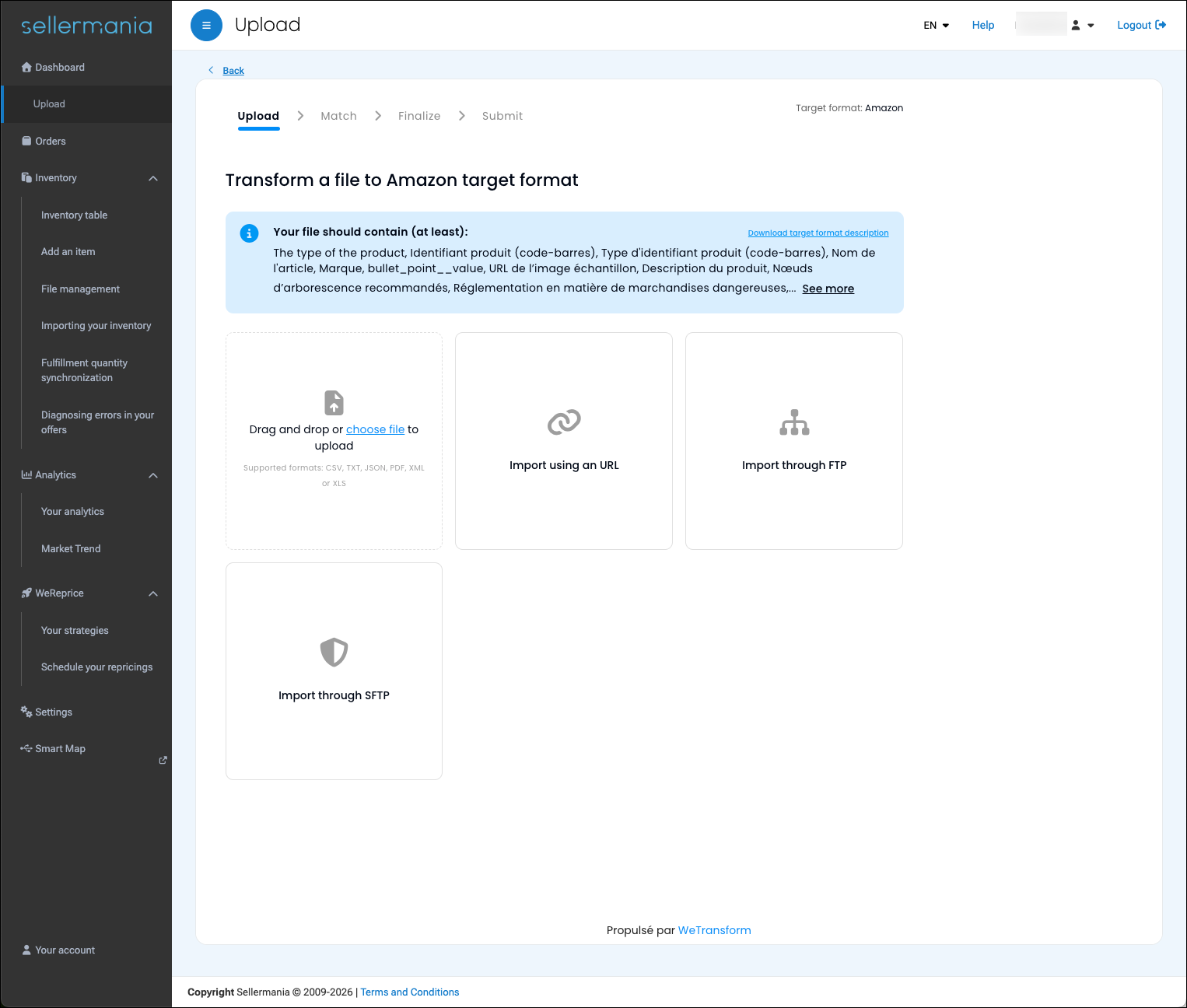
Your marketplace platform and your PIM expect product data in your format. WeTransform is the layer in front of them that produces it: it takes the supplier's raw file, turns it into a compliant catalog and hands it over. It is not a PIM and it replaces nothing you run.
From supplier file to sale-ready product, without your team in the loop.
Step 01
The supplier sends the file as it is
Excel, CSV, PIM export, XML. Through your supplier portal, by API, FTP or email. WeTransform reads the source as it is, no imposed template.
Step 02
The supplier transforms, enriches and checks it with AI
AI Mapping to your attributes, value mapping to your categories, Fill the Gaps for missing fields. Errors are shown and fixed at the source, before the supplier submits.
Step 03
You receive a clean catalog, ready to integrate
Delivered in your format, directly into your PIM, ERP or marketplace via REST API, webhooks or FTP. Every later update runs the same way, with no ticket.
From raw input to clean output, automatically.
The same product, a category that differs from your taxonomy
The AI detects divergent categories in the supplier file and realigns them with your marketplace taxonomy, in one click.
Try it yourself — click "Fix with AI" in the image below
Missing mandatory attributes completed by AI
When a supplier's file arrives with empty required fields, Fill the Gaps analyses the available columns and generates the missing attributes automatically.
Try it yourself — click "Next step" and "Run Fill the Gaps" in the image below
The supplier takes charge of their own compliance.
This changes the economics of your onboarding: instead of your team fixing files, the supplier is guided by AI to deliver a compliant catalog on their own. Errors are detected, explained and fixed at the source.
Fewer email round-trips
The supplier sees and fixes errors live, on the Finalize screen, before submitting.
Your integration team handles exceptions, not files
What reaches you is already mapped, categorized and checked against your constraints.
Go-live time becomes a recruitment argument
A new supplier is live in minutes, in your colors, on your portal or on a hosted page.
Works with your platform, whichever it is.
Mirakl, Octopia or your in-house marketplace, any PIM or ERP. WeTransform sits alongside what you already run and delivers into it.
- Embedded in your supplier space, in your colors, by iframe embed. Your suppliers and sellers never create a WeTransform account.
- Or as a workspace for your catalog team, with no integration to start.
- One target format per platform, defined once, reused for every supplier. Value compounds with every recruitment.
- Delivered where you need it: REST API, webhooks, FTP/SFTP, email, URL. Every transformation traced, with visual diff via Explain.
What makes a catalog compliant.
AI Mapping
Automatic column matching
The AI detects the supplier file's structure and proposes the mapping to your template. One-click validation.
value mapping
Taxonomy alignment
Supplier categories, units and attributes are mapped to your reference data, even when labels differ.
Fill the Gaps
Completion of mandatory attributes
The AI fills absent attributes using context from other columns, for example a rich description.
Autoclean
Unstructured formats
Merged cells, messy Excel, PDF. Autoclean normalizes the file before the standard transformation.
Power Functions
External validation and enrichment
Calls a third-party API during transformation, for example to validate EANs against your reference systems.
natural language rules
Business rules in one sentence
Your team describes the rule in plain language. WeTransform generates it and applies it to every relevant flow.
Built for secure data handling.
Supplier catalogs are commercial data. WeTransform is built with security in mind:
- GDPR-native by design, EU data residency, data does not leave the EU
- Encrypted in transit and at rest, no plaintext storage
- Role-based access control, audit logs and traceability on every transformation
- ISO 27001 certification in progress, BELAC-accredited Belgian auditor
Your data stays controlled, traceable and GDPR-compliant at every step, built for enterprise procurement and IT requirements.
A measurable pilot, then rollout.
Pilot
A supplier cohort
A precise perimeter, for example 10 suppliers on one product family. We measure the real gain on go-live time and tickets.
Rollout
The next suppliers
We replicate the pattern on the next suppliers and sellers, reusing the template and rules already defined in the pilot.
Standard
The marketplace reflex
Integrating a new supplier's catalog becomes a few-minute operation, no longer a project.
Already at catalog scale, in production.

36M
products transformed
1M+
products categorized by AI
120+
target formats handled
4.9/5
rating on G2
"Every marketplace seller sent us the same product data in a slightly different format. It wasn't complex, just impossible to scale manually. WeTransform removed that friction entirely."


What our customers say
Rated on G2 · Based on verified reviews
“The AI-assisted mapping has been a game changer. It lets our customers configure their feeds quickly and transform them into our internal format, without back-and-forth.”
 Sylvain MançoisProduct Owner
“WeTransform is fully configurable and easy to integrate. The API documentation is thorough, and the team is responsive whenever we need them.”
 Fabien SernyManaging Director
“WeTransform is remarkably intuitive and powerful. Our team got up to speed quickly, even on our more complex integrations.”
 Richard YeIT Director
“WeTransform has become the native import layer for our fleet operators, allowing customers to upload their booking files easily into Autocab without support intervention.”
 Robert WoolawayHead of Product
They transform their data with WeTransform




Frequently asked questions
Yes. Mirakl, Octopia or an in-house platform: WeTransform delivers the transformed catalog into your platform, PIM or ERP through REST API, webhooks or FTP/SFTP. It replaces none of them.
No. WeTransform is embedded in your supplier space by iframe embed, in your colors, or runs on a hosted page on your own domain. Your suppliers stay where they already are.
Excel, CSV, XML, JSON, product feeds and PIM exports, in any structure. Autoclean handles merged cells, messy Excel and PDF before the standard transformation.
The AI proposes it. The supplier validates, enriches and fixes errors on the Finalize screen before submitting. Your target format is defined once, and every later file from that supplier reuses it.
In workspace mode, your catalog team can start with no integration. The iframe embed comes next. We recommend a pilot on a supplier cohort, then rollout on the following suppliers.
Plans by volume and features, published on the pricing page. Setup and onboarding services are available for large supplier bases.
EU hosting, encryption in transit and at rest, role-based access control, audit logs on every transformation. ISO 27001 certification is in progress.
A scoping workshop on real supplier files.
One hour, with your integration team. We take two or three supplier or seller files that cause problems today and estimate the mapping and the gain on a first pilot together.