Meet Walter, the AI agent that runs your imports
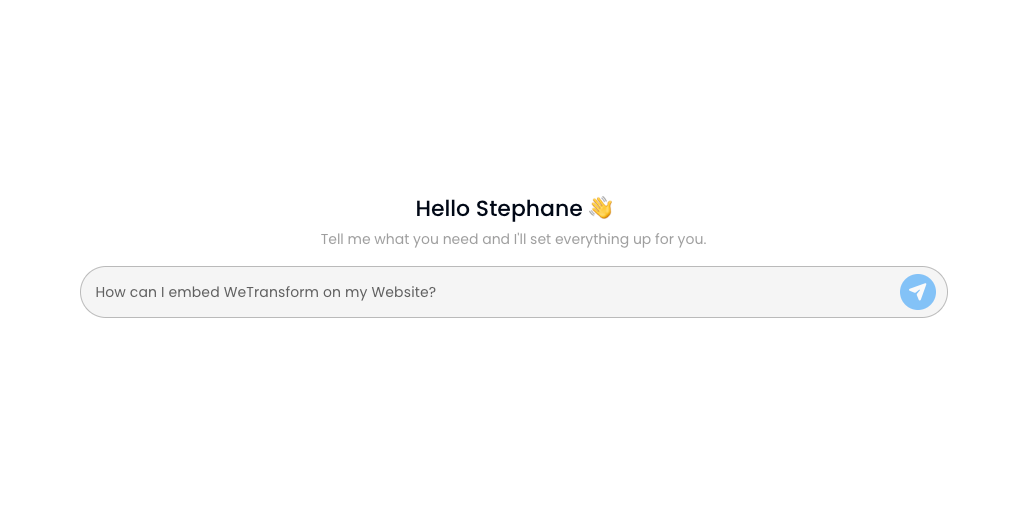
Walter operates your WeTransform account in plain English. Formats, mappings, validation rules, exporters, workflows: describe the change, Walter makes it.
Setup is the first minute. Walter runs the rest.
Setup is where most AI stops. Walter keeps going.
Most AI in data tools helps you once. It sets up a format, suggests a mapping, then hands the account back. Everything after that is menus, panels and click paths only a trained admin can navigate.
But imports do not stop at setup. A client sends a file with a new column. A partner switches from CSV to XML. A new country needs a different validation rule. In a traditional platform, every one of those is an admin task, or worse, an engineering ticket.
With Walter, they are a sentence.
Full context of your account. Write access scoped to your admin role. You talk, it operates.
Walter drives the same platform your team already uses, in natural language:
- Create target formats. Columns, types, required fields, validation rules, defined in one message.
- Set up sources. File upload, API, email, FTP, connected to the right target.
- Build transformation pipelines. Parse, clean, enrich, map, validate, end to end.
- Adjust a single rule. "When the source column reads réf produit, map it to sku."
- Change validation mid-flow. "Reject rows where price is negative, but only for supplier X."
- Wire exporters. Webhook, API push, SFTP, email, with retries and alerting.
- Manage workflows. Chain sources, transformations and exporters, on a schedule.
- Propose before executing. Ask Walter what a change would do, review it, then approve.
One account, thirty days, zero tickets
The same account, followed through the first month of real use. Four moments where a traditional platform would call engineering. Walter handles them in a sentence.
Day 1
Setup
"Set up a target format called supplier_catalog. Columns: sku (string, required), name (string, required), price_excl_tax (decimal, positive), currency (ISO), stock (integer, optional). Reject any row missing sku or name."
Done in under a minute. The menu path for the same result: fifteen minutes and a screenshot in a doc for the next admin.
Day 3
First supplier
The file arrives with French headers: réf produit, TTC. "Map réf produit to sku, map TTC to price_excl_tax after dividing by 1.20, currency is EUR."
Walter proposes, you review, it applies. That supplier now has its own mapping profile.
Day 14
A business rule changes
"For suppliers MegaFournisseur and AlphaGros, replace negative stock values with zero instead of rejecting the row."
Walter scopes the rule to the two suppliers and shows a preview of affected rows before applying.
Day 30
Finance wants an export
"Every night at 2 AM, push the consolidated catalog to our pricing API. Retry three times, alert me by email if all retries fail."
Exporter, schedule, retries, alerting: configured the same day.
Four lifecycle moments. Zero engineering time.
Whoever owns the business rule owns the configuration.
For CTOs
Import configuration stops defaulting to engineering. Whoever knows the business rule, usually ops or customer success, applies it directly. Engineering leaves the maintenance loop and goes back to the roadmap.
For product teams
The evaluation question is no longer "how fast is setup?" It is "how long does it take to change a rule six months in?" Walter's answer is one sentence.
For customer success
The recurring "can engineering look at this?" ticket disappears. The team that owns the client relationship also owns the configuration, without translation.
An agent with the guardrails an admin platform requires
Scoped permissions
Walter can only do what your admin role can already do. Nothing more.
Propose mode
Ask for a proposal instead of an execution, review the diff, then approve.
Previews before impact
Rule changes show affected rows before they apply.
Full audit trail
Every action Walter takes is logged, traceable and reversible, like any admin action.
Walter for your customers
Walter today runs the admin side, for every WeTransform customer, in-house and embedded. The next step is extending it to the embedded experience itself, so your customers can configure their own import behavior, in plain English, inside your product.
The permission model and interface are architected for it. When the timing is right, we will ship it.
Common questions
Walter is live inside every WeTransform admin account. Walter's actions consume credits from your plan, like other AI features of the platform.
No. The admin UI stays fully usable. Walter is a faster way to drive the same platform, and everything it does is visible and editable in the UI afterwards.
Walter operates within your admin permissions, shows previews for impactful changes, and every action is logged and reversible. For sensitive changes, use propose mode and approve manually.
All languages. Talk to Walter in English, French, German, Spanish, or any language your team works in.
No. Your data is never used to train AI models. See our security page for how WeTransform handles data, GDPR-native and EU-hosted.
See Walter run a real account
Book a 20-minute demo and bring your messiest import scenario.