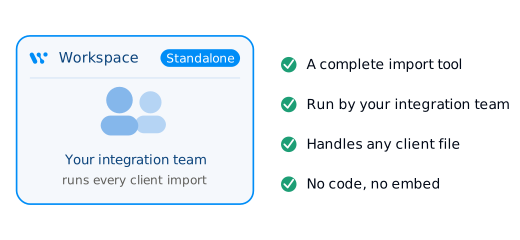
Run every import in the app. No code. No embed.
The Workspace is a complete tool for your ops or integration team to run client imports on their own, in the browser when they choose not to embed in their app.
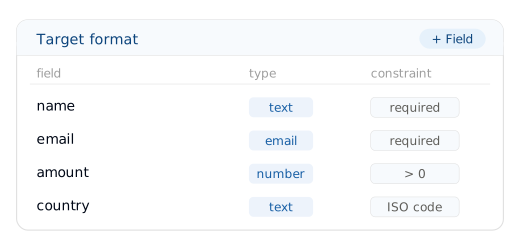
Define your target format once. Import everything against it.
You set your target format one time: columns, types, constraints. After that, anyone on your team uploads a source file, and WeTransform matches it, cleans it, and returns a clean file in your structure. The setup lives in the interface. The imports live in the interface. Nothing ships to your codebase.
From raw upload to clean export, without leaving the browser
One flow, start to finish:
- 1Upload any format (CSV, Excel, PDF, XML, JSON, images)
- 2Autoclean normalizes messy files before anything else runs
- 3AI Mapping matches source columns to your target format
- 4Value mapping aligns two different nomenclatures
- 5Fill the Gaps completes missing fields from context in the row
- 6Natural language rules apply custom transforms described in plain words
- 7Constraints validate every column
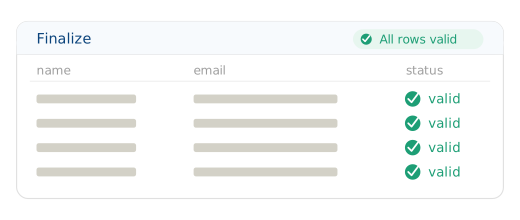
- 8Finalize shows what changed then you export
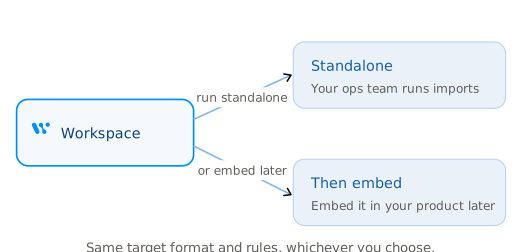
Use it standalone, or as your staging ground before you embed
Two teams use the Workspace, for two reasons. Ops teams who never plan to embed anything: they turn what a client sends into the file their system expects. They drop a file in the app, or have it fetched automatically from a URL, an FTP/SFTP server, or an email inbox. And product teams preparing an embedded rollout: they configure and test every target format in the Workspace first, then embed with confidence.
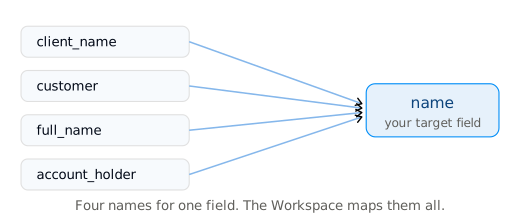
The same data never arrives the same way twice
Every client names things differently. Every partner exports differently. Every file needs one more adjustment. Individually it is trivial. Across a growing customer base it becomes format multiplication, and it quietly eats your team's week. The Workspace is where you absorb it, without pulling in an engineer.
The heavy lifting happens for you, in the interface
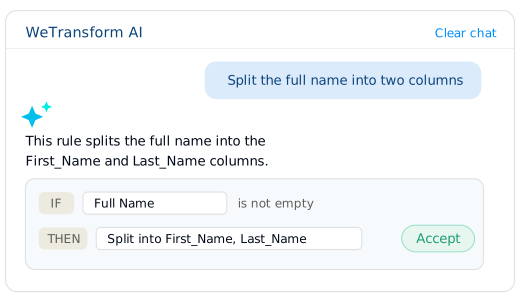
The Workspace is not a form that accepts files. It reads them, adapts to them, and transforms them. Autoclean handles PDFs, merged cells, and broken exports. Power Functions let you call an external API mid-transform to validate or enrich a value, a SIRET, an address, a customer ID. Fill the Gaps completes rows from surrounding context. Every AI action draws on your AI credits. You see exactly what ran, on the Finalize screen.
Built for European data handling
GDPR-native by design, EU data residency by default, strict access control on every file that passes through the Workspace.
Learn about securityCommon questions
No. The Workspace runs standalone in the browser. Embedding is optional, and you can add it later.
Yes. Upload, mapping, cleaning, validation, and export all happen in the interface, no code.
CSV, Excel, PDF, XML, JSON, and images. All are transformed into your single target format.
Yes. The target formats you build in the Workspace are the same ones your embedded importer uses.