The AI data onboarding platform: five capabilities that turn any client file into clean structured data
Before AI, every new client file was a manual engineering problem. Different column names, inconsistent values, messy structures — each new format required someone to write or adjust mapping logic.
WeTransform is the AI data onboarding platform that handles the five recurring problems most teams face when ingesting client files. Here is what each capability does.
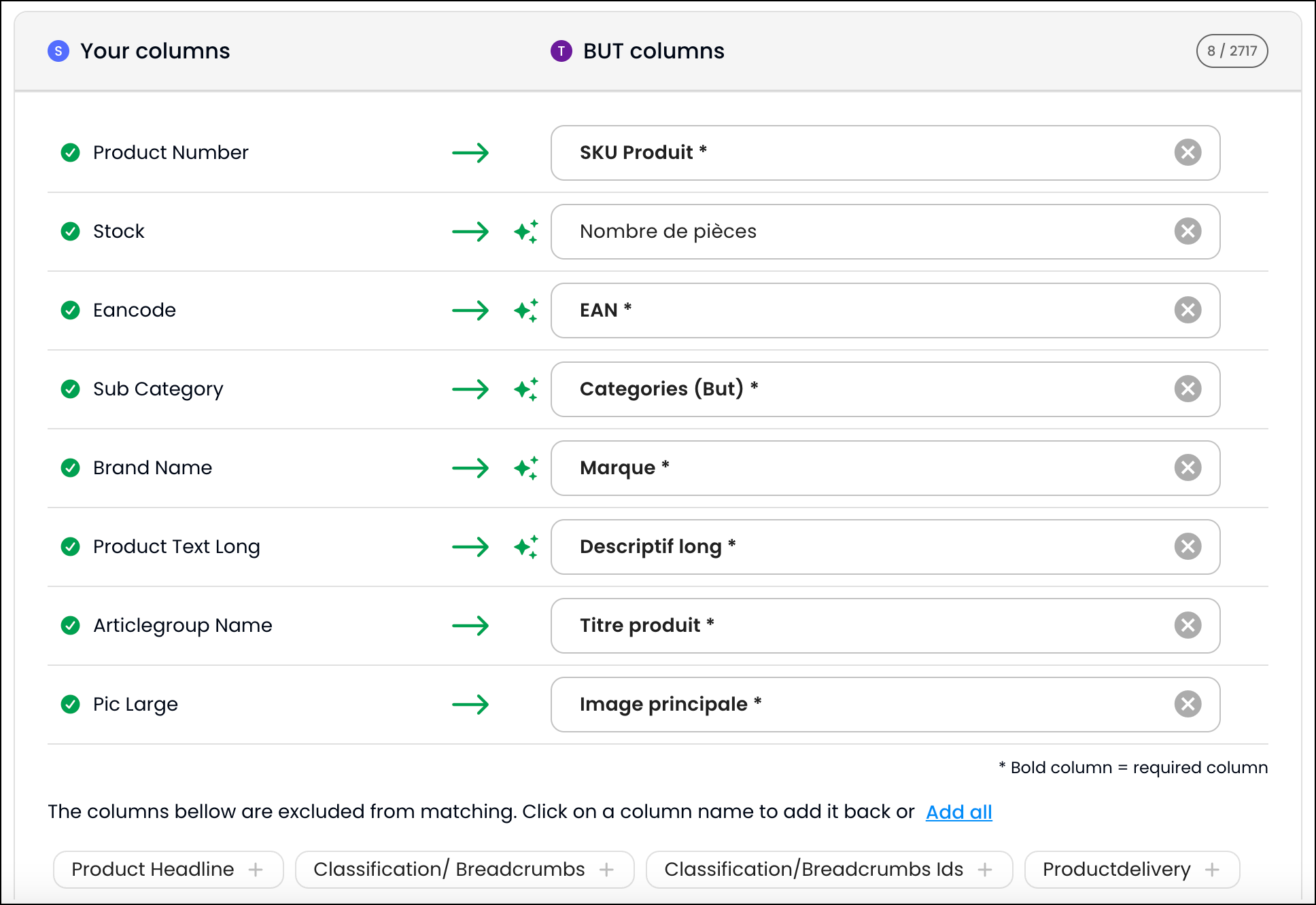
AI reads any field name, yours or theirs
Every client uses their own naming conventions. What your schema calls customer_id, they call client_ref, acc_number, or CustID. Sometimes the naming has nothing to do with the content.
WeTransform AI reads the incoming column headers and maps them to your target schema automatically. No template to share with clients. No manual field-by-field work per new source. The mapping is confirmed once and reused for every subsequent file from that client.
- Handles abbreviations, translations, and unconventional naming patterns
- Mapping is confirmed once per client format, then applied automatically
- Works across CSV, Excel, JSON, and other structured file types
AI normalizes values that column names cannot fix
Column mapping fixes what fields are called. Value mapping fixes what is inside them.
A field correctly identified as status might contain active, Active, ACTIF, or 1 depending on the client. Your system expects one specific value.
WeTransform AI detects value patterns across incoming files and normalizes them to your target vocabulary — categories, status codes, country codes, boolean flags, or any controlled vocabulary that varies across sources.
AI extracts precise attributes from broad descriptions
Clients often send a single broad field where your schema requires multiple distinct attributes.
A product_description field containing "Red Nike Air Max running shoe, men's, size 10" is useful to a human but useless to your schema, which needs brand, color, category, gender, and size as separate structured fields.
Fill the gaps reads the data already present in the row and extracts each target attribute from it. Nothing is invented. Everything is derived from what the client actually sent.
- Reads from any text-rich field already present in the same row
- Extracts multiple target attributes from a single source field
- Handles product descriptions, address blocks, and free-text notes
AI structures files that no parser can read
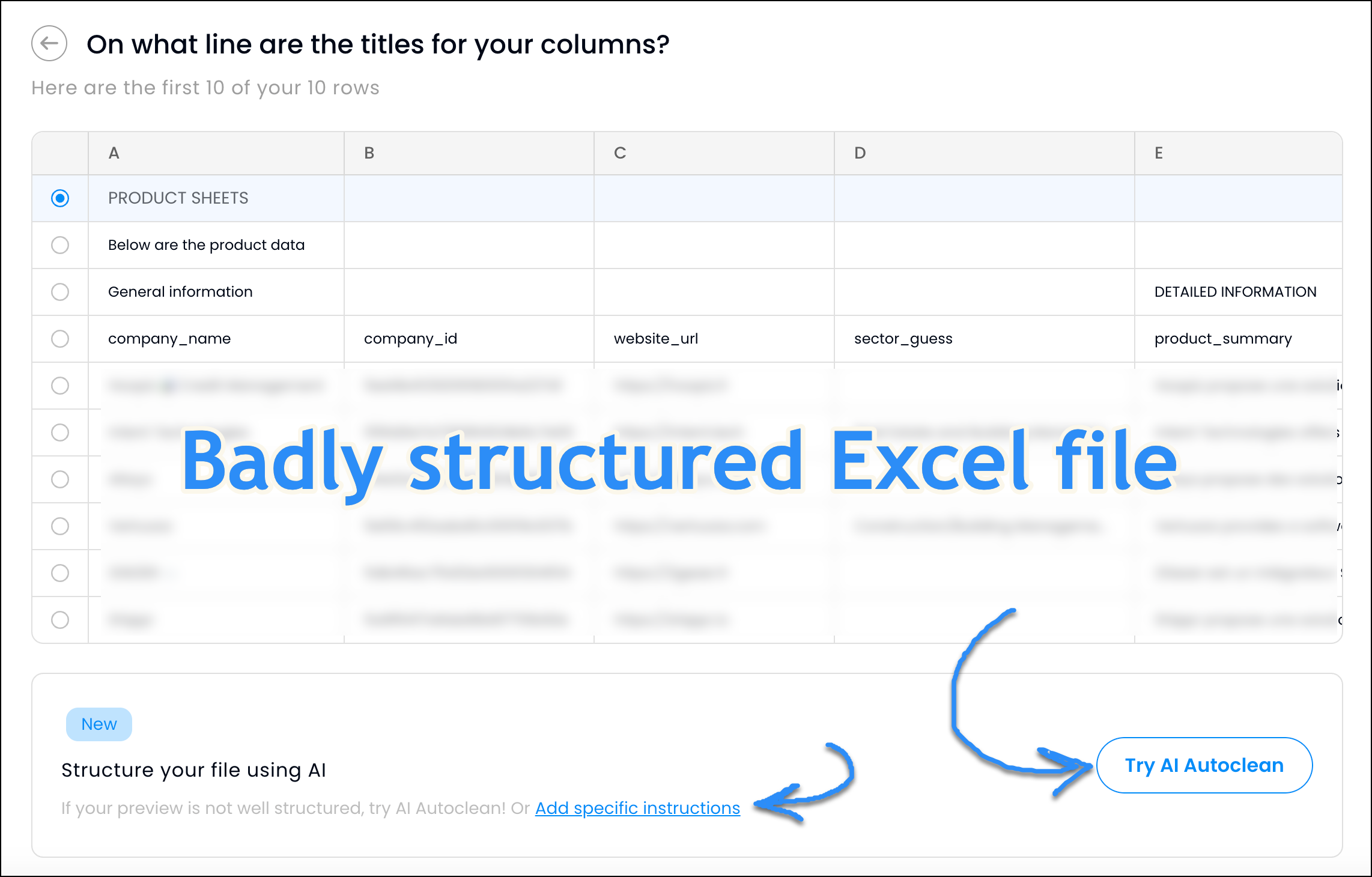
Some client files cannot be parsed by a standard CSV or Excel reader. Extra header rows, merged cells, summary rows baked into the data, content starting mid-sheet after a company logo or title block.
Autoclean uses AI to read the file the way a human would. It identifies where the actual data starts, which rows are real records, which are headers, and which should be discarded. The output is a clean, structured table ready for the mapping step.
- Handles ERP exports, legacy formats, and heavily formatted Excel sheets
- Detects and removes non-data rows automatically
- No preprocessing or manual file cleanup required before mapping
Describe your transformation. AI builds the rule.
Some transformations go beyond field renaming and value normalization. Currency conversions, conditional logic, derived fields — these typically require a developer to write and maintain a script.
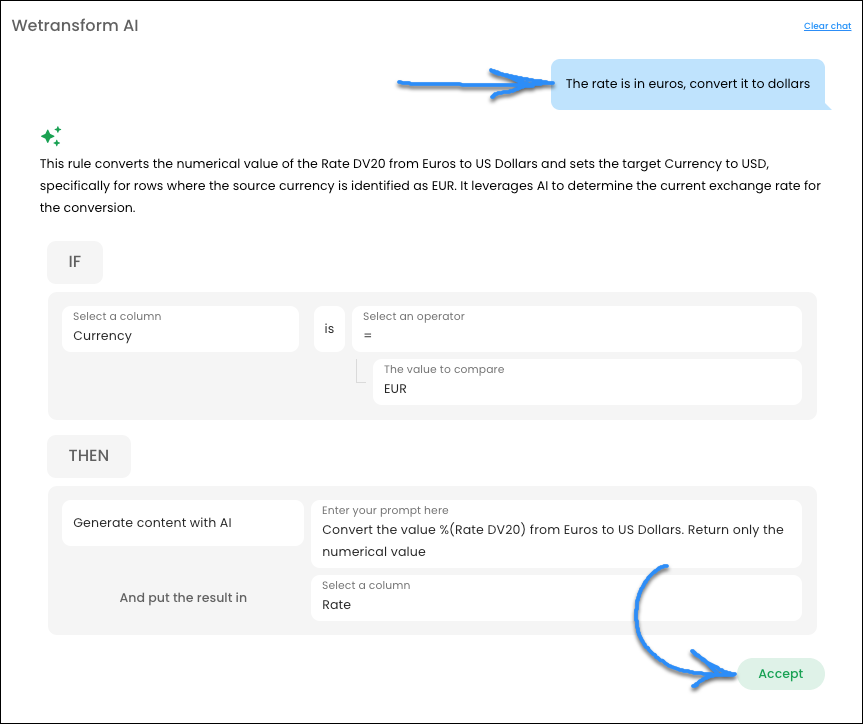
With WeTransform, you describe the transformation in plain language. The AI generates the corresponding IF/THEN rule, which you review before it runs. Once accepted, it applies automatically on every matching row.
- Supports conditions, calculations, and derived fields
- No code required for custom transformation logic
- Rules are visible, editable, and reusable across client formats
Common questions about AI data onboarding
Column mapping, value mapping, and fill the gaps run automatically as part of the ingestion flow. Autoclean triggers when the incoming file structure is detected as messy. Natural language rules are created on demand by your team, then applied automatically to all future files that match the condition.
Every AI suggestion can be reviewed and corrected before it is applied. Once corrected, the mapping is saved and reused for all future files from that client — the system learns from the correction.
ETL tools move and transform structured data between systems. WeTransform handles the step before that: absorbing format variation in incoming client files and producing the structured output that ETL or your system expects. They solve different problems.
Yes, as long as the data is present in the row. Fill the gaps works on product descriptions, address blocks, free-text notes, or any field where multiple target attributes are embedded in a single source value.
See all five capabilities in action
Watch WeTransform handle format variation — column mapping, value normalization, and structured extraction — in a single import flow.