
The data is already in the file. Let AI pull it out.
A supplier sends a catalog with one rich description per product, and none of the structured fields your system needs. Fill the Gaps reads that description and completes the missing columns for you.
See Fill the Gaps in action
A real catalog with one rich description per row. Watch the AI complete the missing columns in one pass.
Try it yourself — click "Next step" and "Run Fill the Gaps" in the image below
AI completes a row from the context already in it
Some fields are missing, but the answer is sitting in another column. Fill the Gaps reads the context of each row, a long product description, a free-text note, and fills the empty fields from it. You pick the columns to complete, then run it.
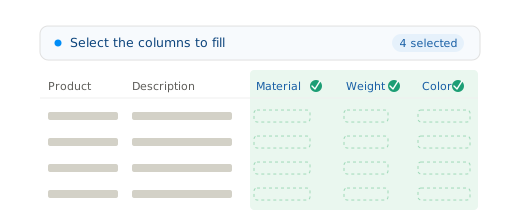
When the file has the information, just not in the right shape
Fill the Gaps earns its place whenever the data exists but is trapped in the wrong column:
- A product catalog with descriptions but no dimensions, material, or weight
- A contact list with a full address but no separate city or postal code
- A parts export where the reference hides the model and the year
- Any file where one rich field can be split into the clean columns you need
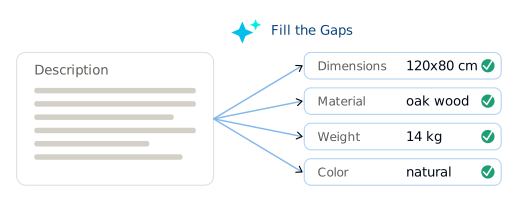
Select the columns, run it, review
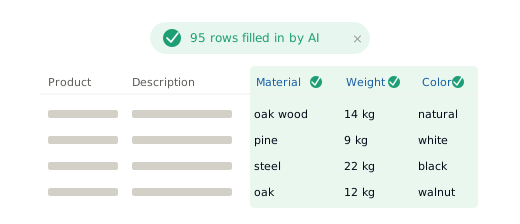
Fill the Gaps runs inside the import, after mapping. You select the columns to complete, run it, and every filled value shows up for review before anything is exported. It all happens in the interface, with no formulas and no code. Each run uses your AI credits.
Every client sends a different half of the data
Format multiplication is not only about column names. It is also about what is missing. One client sends everything in a description, another splits it across ten columns, a third leaves half of it blank. Fixing that by hand, product by product, costs your team hours. Fill the Gaps does it in one pass, and cuts manual data handling by up to 90%.
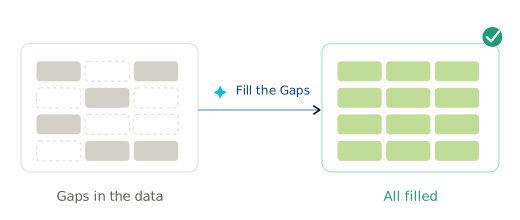
Cleaner input, more to work with
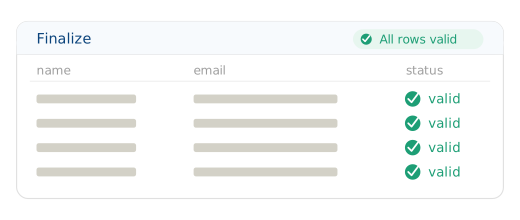
Fill the Gaps works on whatever reaches it. Run Autoclean first and even a messy PDF becomes a table it can complete. Add natural language rules to shape the output further. You watch every value resolve on the Finalize screen before export.
Built for European data handling
GDPR-native by design, EU data residency by default, strict access control on every file Fill the Gaps touches.
Learn about securityCommon questions
It reads the context already in the row, usually a rich description, and derives the missing values from it.
No. You select the columns to fill and run it in the interface.
Yes. Every filled value is shown for review on the Finalize screen before export.
Each run uses AI credits, a pool you top up in packs, with no expiry.