Turn a badly structured file into clean data
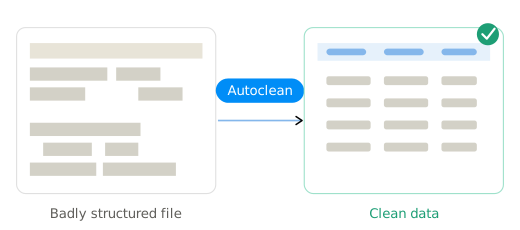
Not every file arrives as a tidy table. Autoclean reads the messy ones, a PDF, an Excel full of merged cells, and turns them into clean data before the import even starts.
AI normalizes the file before anything else runs
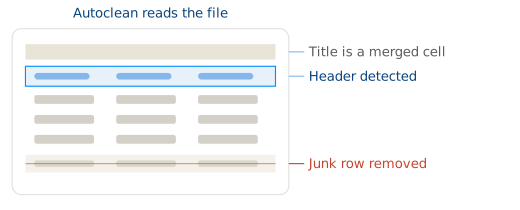
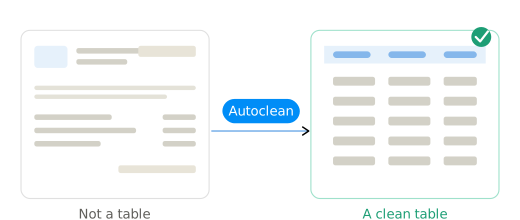
Autoclean is the first step of the import. It looks at whatever was uploaded, works out where the real data is, and rebuilds it as a proper table.
Only then does the standard flow take over: mapping, validation, export. Your team does none of it by hand.
The files that break every other importer
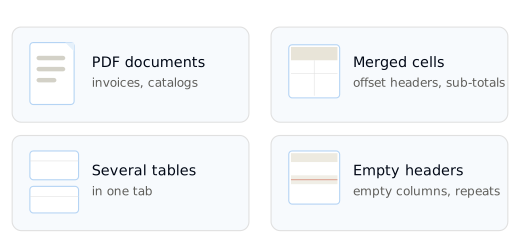
Autoclean was built for the exports that are not really tables:
- PDFs, including invoices, catalogs, and reports
- Excel files with merged cells, sub-totals, and headers in the wrong place
- Sheets with several tables stacked in one tab
- Empty headers, empty columns, and repeated headers
One clean pass, then the usual flow
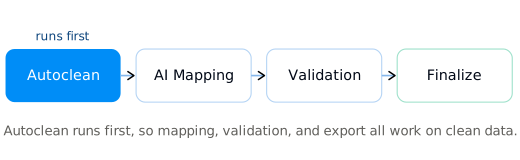
Autoclean runs first, so everything after it works on clean data. Once the file is a proper table, AI Mapping matches the columns, constraints validate, and Finalize lets you review and export. All of it happens in the interface, with no formulas and no code.
The file is not always a table
Every client sends data a different way. That is format multiplication, and its worst form is the file that is not even structured: the supplier who sends a PDF, the partner who exports a spreadsheet built for the eye, not the machine. Reshaping those by hand can cost your team hours a day. Autoclean absorbs them, and cuts manual data handling by up to 90%.
Cleaner input, better everything after it
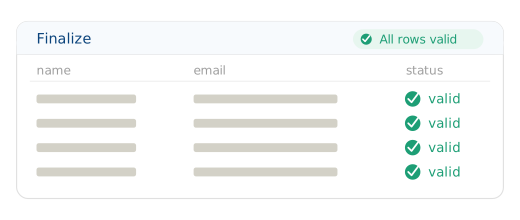
Because Autoclean hands over clean data, the rest of the import gets sharper. Mapping is more accurate, Fill the Gaps has real context to work from, and validation catches what matters. You watch the whole thing resolve on the Finalize screen.
Built for European data handling
GDPR-native by design, EU data residency by default, strict access control on every file Autoclean touches.
Learn about securityCommon questions
PDFs, Excel with merged cells, and sheets with several tables in one tab.
No. Autoclean runs in the interface, on any file your team uploads.
Only for the better. It hands clean data to mapping and validation, so the whole flow is more accurate.
Autoclean uses its own credits, separate from your AI credits.